
Company and personal files get mixed together
Shared procedures and an individual employee’s documents need recognisable spaces rather than one undifferentiated folder.
HumanDesk separates files shared with the organisation, files uploaded by an individual, files received directly and HR documents. Each area shows the name, uploader, date and size and can be searched by file name.
Product in demonstration phase · screen uses fictional data
Document library · SaaS and on-premise
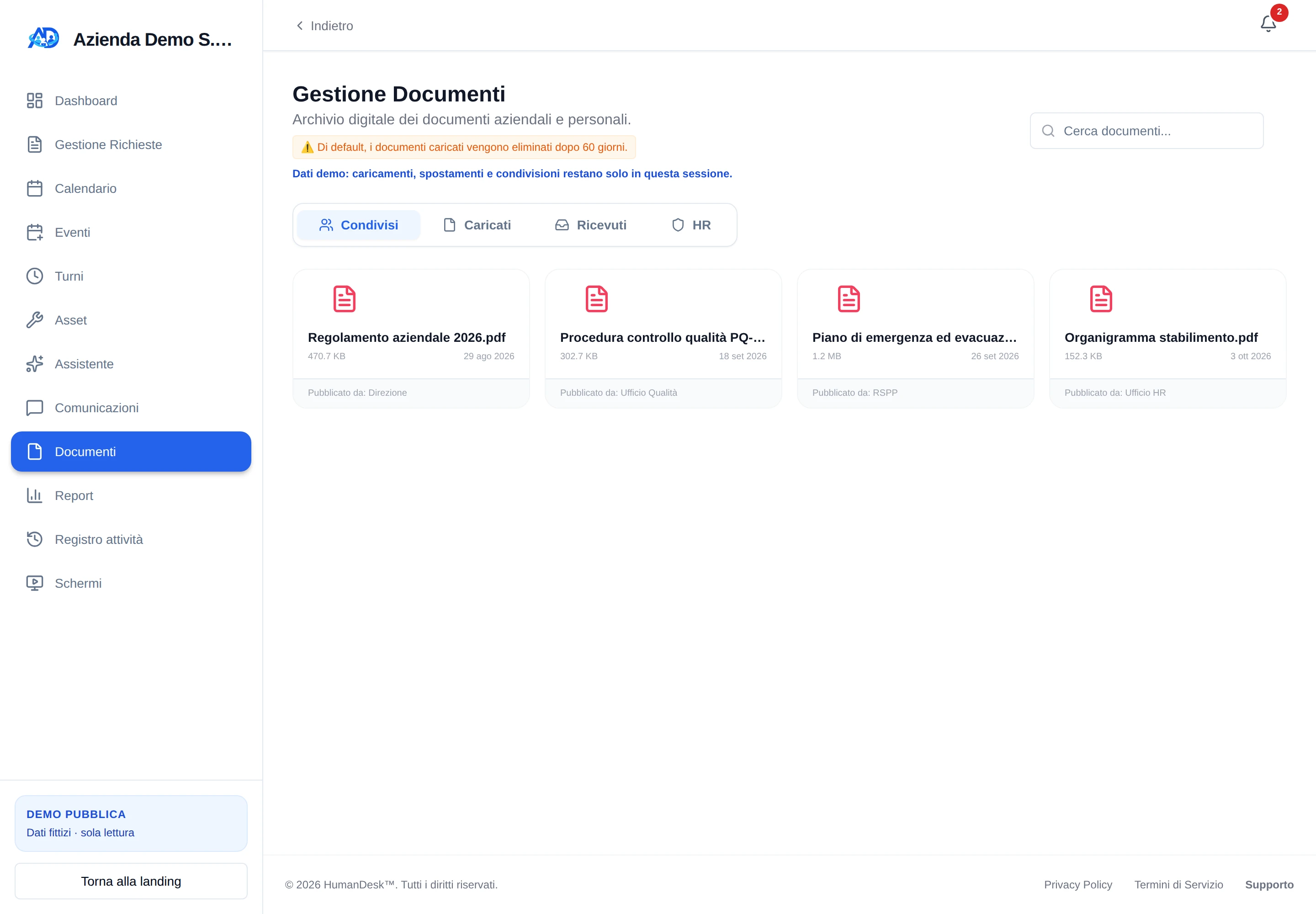
A company-wide policy, an employee’s own document and an HR-restricted file do not have the same audience. Put them in one undifferentiated folder and finding them — and governing access — depends on the memory of whoever uploaded them.
Shared procedures and an individual employee’s documents need recognisable spaces rather than one undifferentiated folder.
Without a dedicated area, directly shared documents become confused with files that people uploaded themselves.
When you recall only part of its name, searching downloads, emails and folders slows down a simple operational need.
Uploader, date and size help people recognise a file before opening it and understand who made it available.
The file enters Shared, the individual’s uploaded documents or HR according to its purpose and the user’s permissions.
The module accepts PDF, PNG, JPEG and WebP files up to 10 MB and keeps the name, uploader, date and size.
Search filters by file name; people can select their own uploads and share them with an accessible colleague.
When a personal upload is shared directly, HumanDesk makes it visible in the selected person’s Received area. Company documents published for everyone remain under Shared instead.
The screen uses stable sections to distinguish audience, origin and responsibility. Actual visibility still depends on role permissions.
Procedures and materials for authorised people across the organisation, collected in a common document area.
An individual’s own files remain separate from documents another user has shared directly with them.
A distinct space for employee documents; administrative uploading requires the dedicated permission.
When a file explains an official team announcement, Communications keeps the message, author, date, priority and attachment together. Documents is for retrieving files and separating them by audience.
We demonstrate the library with fictional data and establish which categories, permissions and retention periods your organisation genuinely needs.
Request a demonstration