
The same text is copied several times
Each copy can become outdated when times, instructions or details change.
HumanDesk keeps company announcements separate from everyday conversations. Authorised people publish a title and message; the team finds each communication with its author, date and priority in one place.
Product in demonstration phase · screen uses fictional data
Company noticeboard · SaaS and on-premise
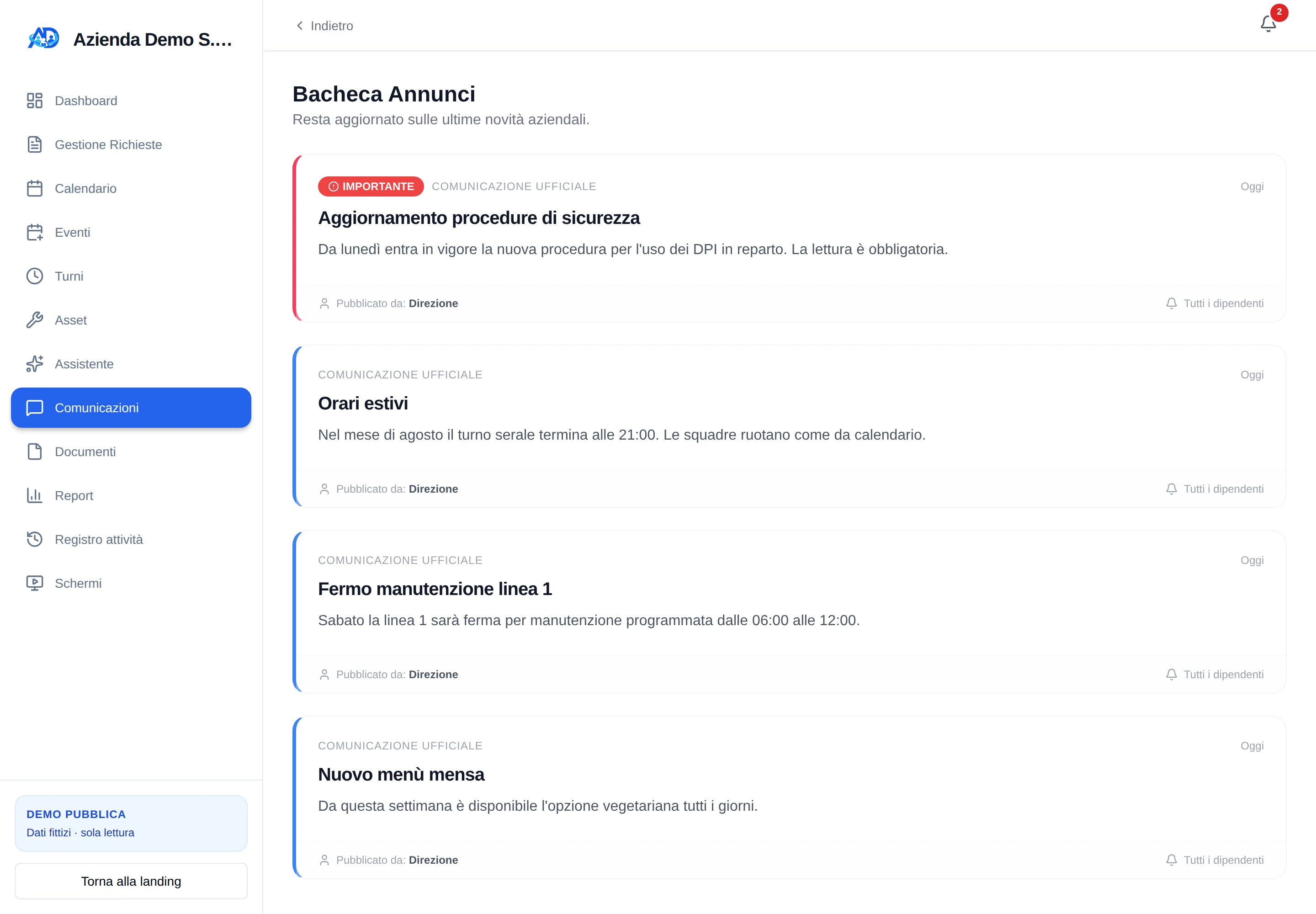
When the same information is rewritten across several channels, a correction can leave different versions in circulation. An important message can also look just like every routine update.
Each copy can become outdated when times, instructions or details change.
A critical procedure and a routine update can pass through the organisation in exactly the same way.
Without an author and date, an official communication is hard to distinguish from word of mouth.
Operational images and PDFs can become detached from the company system that should hold them.
An authorised user adds a title and message and decides whether it should be highlighted as important.
When needed, attach an image or PDF up to 10 MB: the file is also registered in Shared Documents.
The announcement enters the noticeboard for authorised people; its author, date and audience remain visible on the card.
HumanDesk creates an in-app alert and attempts an email to authorised people according to the available settings. The official communication remains available on the noticeboard.
Cards keep the title, message, author and date together. Important announcements use a distinctive label and border; routine updates retain the same structure without added noise.
“Important” highlights an announcement on the noticeboard without pretending it is a read receipt.
The author’s name and publication date accompany every communication.
The noticeboard and alerts are available only to active users who can access the module.
When you need to invite people to training, a meeting or a visit and collect their responses, use Events rather than a general announcement.
We demonstrate the noticeboard with fictional data and establish which roles, alerts and materials your organisation genuinely needs.
Request a demonstration