
Invitations travel through chats
Date, time and place get lost among replies and unrelated conversations.
HumanDesk brings meetings, training, audits and scheduled visits together. Organisers set people, place and times; invitees see the appointment and, when requested, respond in the same space.
Product in demonstration phase · screens use fictional data
Company events · SaaS and on-premise
A calendar date is not enough when the place, programme, invitees and responses live in different tools. Every change makes the organiser rebuild the picture.
Date, time and place get lost among replies and unrelated conversations.
Organisers must separately work out who accepted, declined or has not replied.
Mandatory status, recurrence, attachments and reminders vary by event type.
One general time is not enough when each person must arrive at a different time.
Choose its type, title, date, place and people. Available options follow the configured event type.
The event appears to the people involved with its practical details and any attachment.
When RSVP is enabled, organisers see acceptances, declines and responses still pending.
Meetings, training, audits and visits can use different rules for mandatory status, RSVP, attachments, recurrence, reminders and individual times.
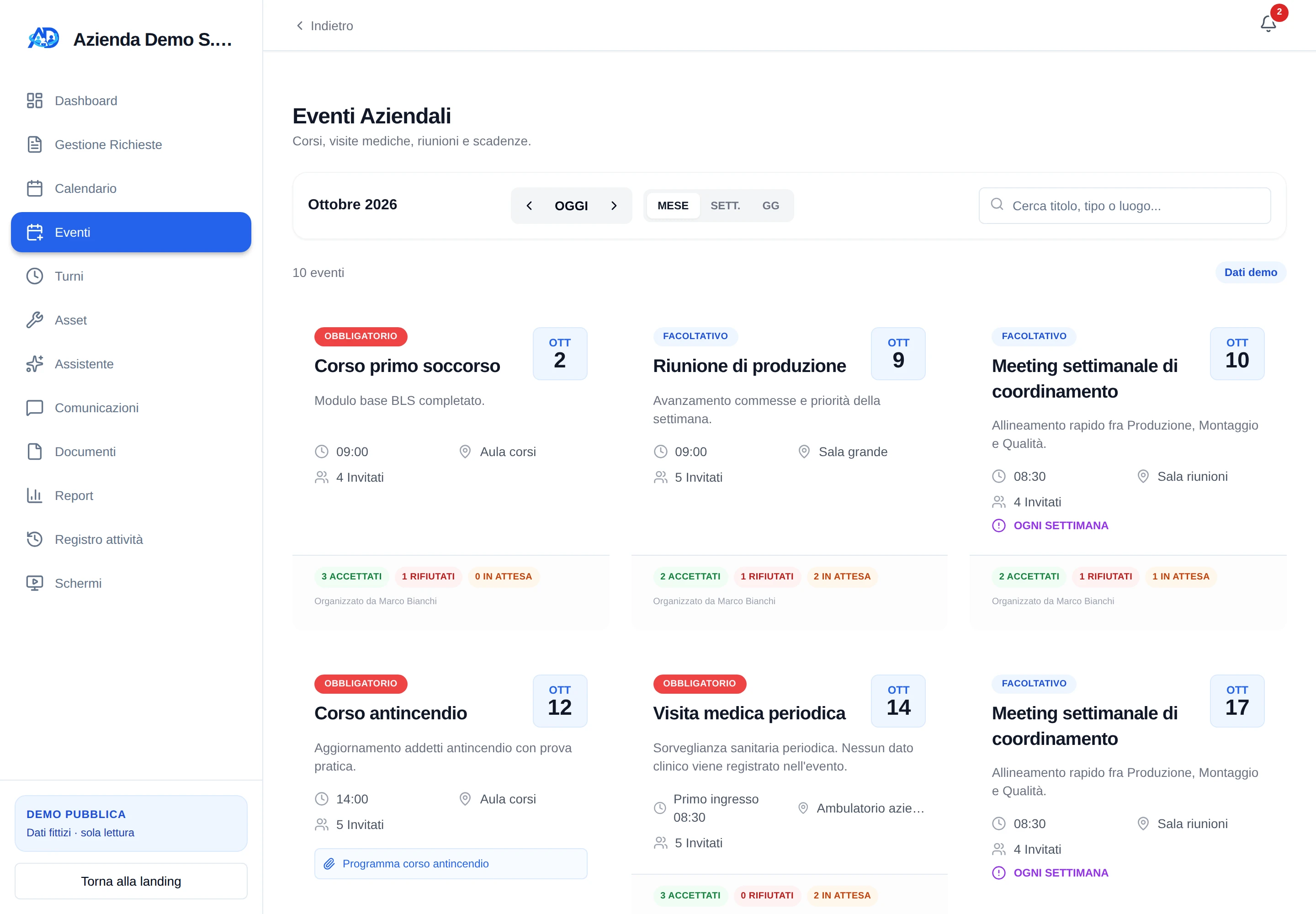
Period controls, search and month, week or day views help find appointments. Each card shows the useful details and the response status collected so far.
A clear label communicates the nature of the invitation.
Enabled events can repeat and include an operational document.
Accepted, declined and pending invitees remain visible to event managers.
Training, meetings and audits appear beside holiday, time off, sickness and closures. Filters show only the calendars needed at that moment.
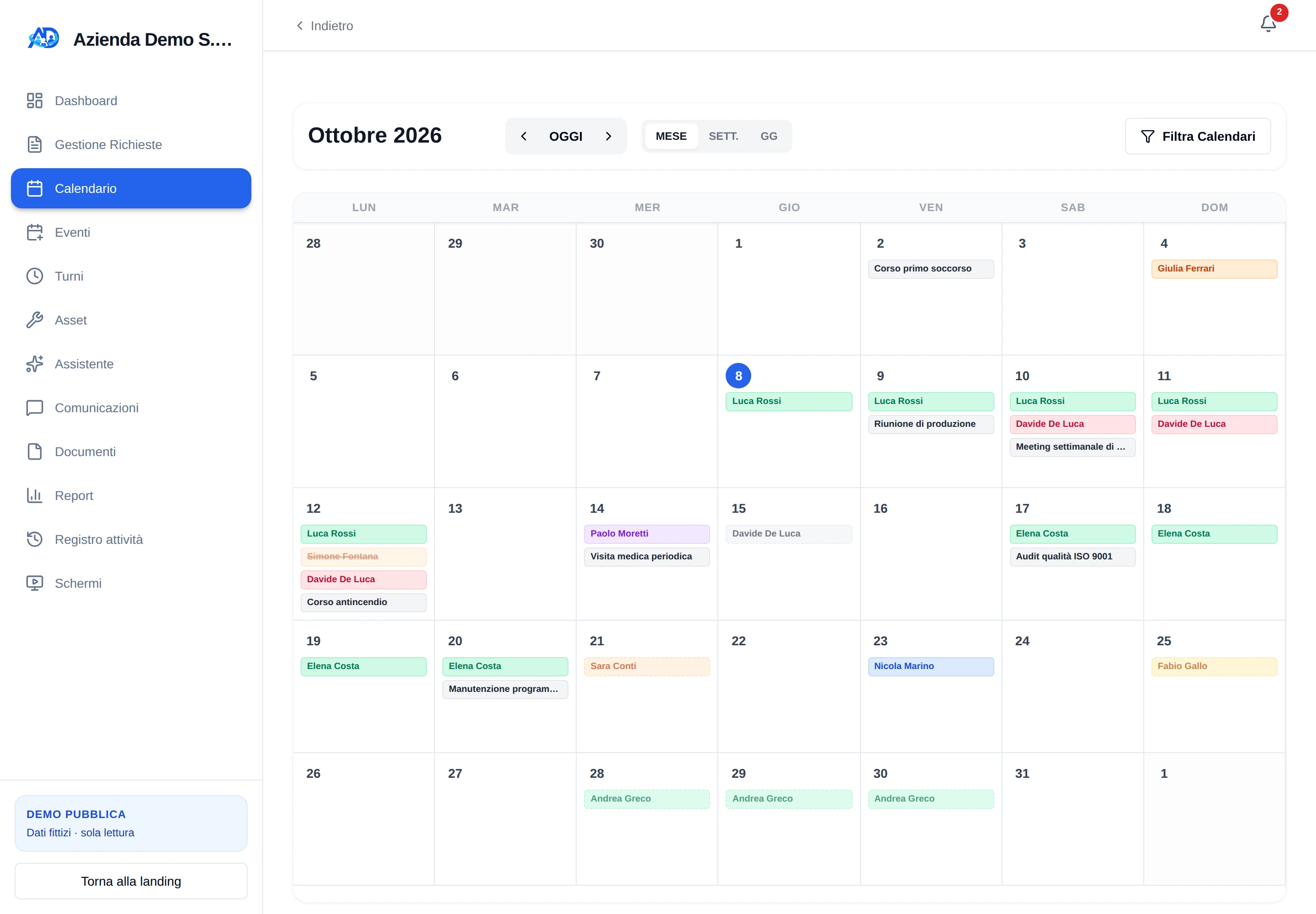
For types with individual appointments, organisers assign an arrival time to each invitee. The person sees their time and the card summarises the operational sequence.
For the full holiday, time-off and sickness flow—from request and approval to visibility—see the dedicated solution.
We demonstrate the workflow with fictional data and establish which types, options and permissions your organisation genuinely needs.
Request a demonstration