
A view without context
The same content is not useful everywhere: an entrance, gatehouse, workshop and control room may need different boards.
HumanDesk keeps configured screens in one fleet, assigns a view and department to each one and shows whether the board is online, unstable or offline.
Product in demonstration phase · no customers or real data
Actual screen · demonstration fleet
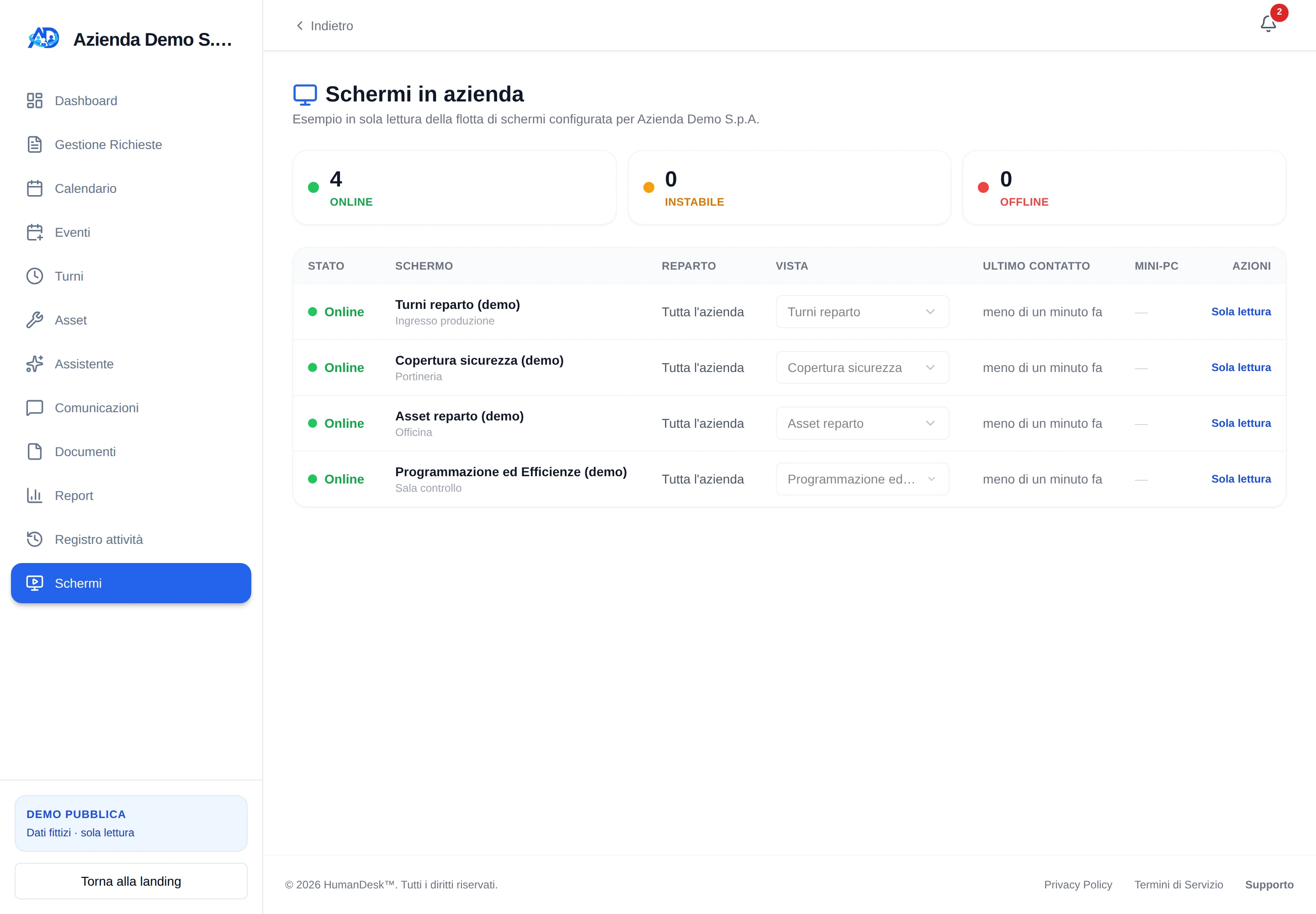
A switched-on television does not prove that a department can see current data. Every screen needs an identity, a clear scope and a simple connection check.
The same content is not useful everywhere: an entrance, gatehouse, workshop and control room may need different boards.
Rotas and assignments must cover either the organisation or a selected department, without relying on a label taped to the television.
When a page stops sending its heartbeat, the fleet must distinguish a short delay from an offline board.
Give the new screen a name and location so the device remains recognisable in the fleet.
Select the operational content and scope it to the whole organisation or a configured department.
Sign in to HumanDesk once on the mini PC, then open its dedicated /display/<id> address.
The browser sends a periodic heartbeat. HumanDesk reports online, unstable or offline from the elapsed time and keeps events that help distinguish gaps, reloads and several pages using the same identifier.
Available views depend on the organisation’s enabled modules and genuinely configured data.
A rota grid for the organisation or selected department, with configurable period and absence display.
Expected personnel derived from planned rotas and leave; this is not evidence of actual attendance.
Machine and equipment assignments for people in the department when the Assets module is enabled.
Demonstration jobs, operators and indicators; real use requires reliable, connected data sources.
The screen’s rota view comes from the HumanDesk planning already in use and does not create a second parallel rota.
We can show the demonstration fleet and define the device, access, department and required data before installing a real screen.
Request a demonstration